Spring Clean Icon

Clean up your clip workflow

25% OFF to get started.

Clean Up Now

Let your clips talk.
Even when you can't.

Need a break? Clipify got you covered. Auto-play clips while you are away - keep your stream alive and your viewers entertained.
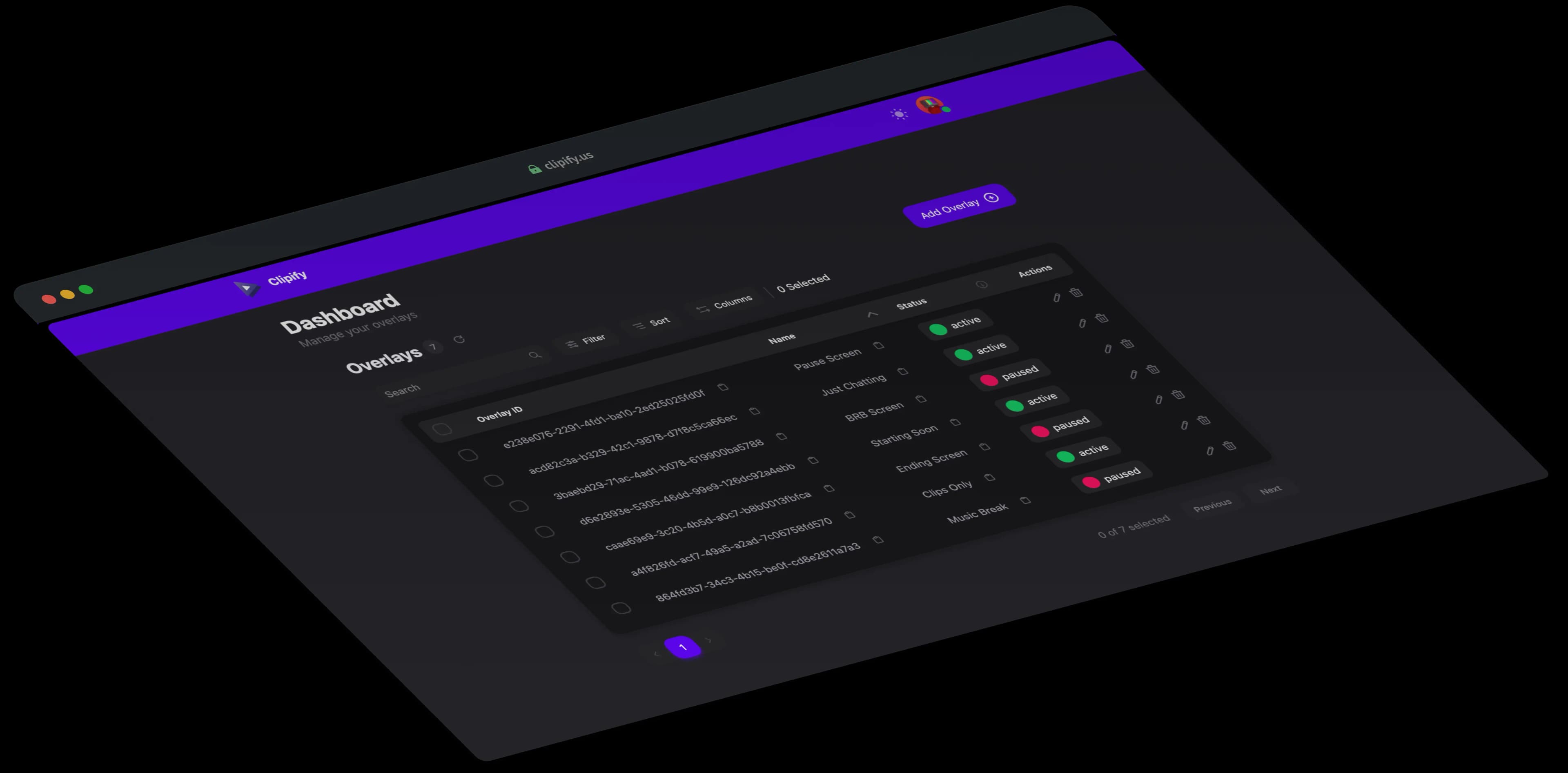
App Screenshot
Features

Play your Twitch clips, keep your stream alive

Clipify automatically plays your best Twitch clips to keep your channel active and your viewers engaged-even when you're away.

Easy to Use

Intuitive interface designed for effortless setup and management.

Plug & Play

It's as easy as adding a browser source to your streaming software.

Keeps Your Stream Entertained

Auto-play clips to keep your audience engaged even when you're away.

Clip Playlists

Build reusable clip playlists, reorder them manually, or auto-import highlights with filters for dates, creators, categories, and views.

Smart Playback Modes

Switch between Random, Top, and Smart Shuffle playback, plus advanced creator and category filters with Pro.

Multiple Overlays

Create as many overlays as you like, use them for AFK screens, at the starting or end screens of your stream, or anywhere you want.

Channel Points Integration

Let viewers trigger clip playback with Twitch channel points and keep chat engaged during breaks.

Remote Control Panel

Open a dedicated live controller to pause, skip, mute, manage queues, and monitor overlay playback from a phone or second screen.

Theme Studio

Build your own overlay look with drag-and-drop cards, custom colors/fonts/effects, timer, and progress bar styling.

Editors & Managers

Give trusted teammates access to manage overlays and playlists without sharing your full account credentials.

Chat Commands

Control playback, queue and volume directly from Twitch chat while live.

Live Layout Editor

Drag, resize, and nudge overlay cards with keyboard controls for clean stream scenes.

Pricing

Complicated pricing? Not with us.

Just two options: free forever, or unlock everything with Pro.

Spring Clean Icon

Spring Clean

Use SPRINGCLEAN26 to get 25% OFF

Ends soon
Claim Spring Offer

Free

Perfect for getting started and keeping your stream active.

Free

  • Unlimited clips

  • One overlay

  • One playlist (up to 50 clips)

  • Playlist overlay type

  • Manual playlist curation

  • Plug & Play setup

  • Random playback mode

  • Basic clip filtering

  • Keeps your stream entertained

  • Basic clip player for embedding in websites

Limited offer

Pro

Unlock advanced features for professional streamers.

15 EUR/per year

Save 2 months with yearly billing

  • Everything in Free

  • Multiple overlays

  • Unlimited playlists and playlist clips

  • Auto import playlists with advanced filters

  • Append or replace behavior on playlist import

  • Channel points integration

  • Control your overlay via chat

  • Remote control panel for live playback control

  • Add editors and managers to help run your overlays

  • Advanced clip filtering

  • Additional playback modes: Top and Smart Shuffle

  • Theme Studio

  • Advanced clip player for embedding in websites

  • Priority support

  • Access to beta and upcoming features

  • Support an independent developer

Interactive Demo

See Clipify in action

Try our live demo to preview how clips play and how overlays behave on your stream.

OBS Studio - Profile: Default - Scenes: Clipify Pause
Scenes
Scene
Sources
Browser
Audio Mixer
Desktop Audio
-13.2 dB
Mic/Aux
-4.7 dB
Music
MUTE
Controls
00:12:43LIVE
CPU: 4.2% 60.00 / 60.00 FPS
FAQs

Frequently Asked Questions

Find answers to the most common questions about Clipify.

Clipify is a tool that automatically plays your best Twitch clips to keep your channel active and your viewers engaged, even when you're away.

Setting up Clipify is easy! Just add a browser source to your streaming software and configure it to play your Twitch clips.

Clipify works with any streaming software that supports browser sources, including OBS Studio, Streamlabs, and XSplit.

Yes! You can choose use different filters to control which clips are played, such as time range, minimum views, duration, or even specific keywords in the title. Alternatively you can use Playlist to handpick the clips you want to play.

Normally, Clipify automatically selects clips based on your filters (e.g. last week). But with Playlists, you can handpick specific clips to play, even in a custom order. This gives you full control over the content that gets showcased on your stream.

Yes, Clipify offers a free version with basic features. You can also upgrade to Pro for additional features.

Yes, Clipify provides an embed feature that allows you to showcase your clips on your website or blog.

Yes, you can add editors to help manage your overlay settings. Just make sure not to add yourself as an editor.

Yes, with Theme Studio you can fully customize the look and feel of your overlays to match your stream's branding. You can adjust colors, fonts, effects, and more to create a unique and cohesive visual experience for your viewers.

You can drag and position overlay cards, resize them, nudge with arrow keys, customize colors/fonts/effects, and style the timer and progress bar to match your stream branding.

Yes, with the remote control feature you can fully control the overlay remotely. Want to skip a clip whilst taking a break? Or want to change the volume? All possible.

Yes, your moderators can either use the chat commands (can be used by all Channel Moderators) or the remote control panel if you add them as editors in the dashboard.

The Pro version includes Theme Studio, advanced playback filters, multiple active overlays, channel points integration, the remote control panel, editor access for teammates, and priority support.

Yes, you can use Clipify on any channel you manage. Just set it up for each channel individually.